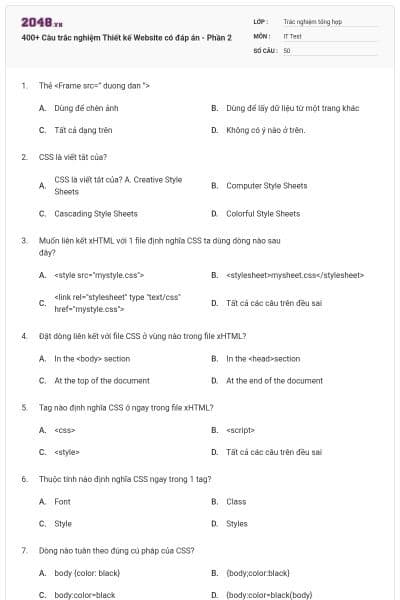
400+ Câu trắc nghiệm Thiết kế Website có đáp án - Phần 2
50 câu hỏi
Dùng để chèn ảnh
Dùng để lấy dữ liệu từ một trang khác
Tất cả dạng trên
Không có ý nào ở trên.
Chọn C
Computer Style Sheets
Cascading Style Sheets
Colorful Style Sheets
Chọn C
đây?
<style src="mystyle.css">
<stylesheet>mysheet.css</stylesheet>
<link rel="stylesheet" type "text/css" href="mystyle.css">
Tất cả các câu trên đều sai
Chọn C
In the <body> section
In the <head>section
At the top of the document
At the end of the document
Chọn B
<css>
<script>
<style>
Tất cả các câu trên đều sai
Chọn C
Font
Class
Style
Styles
Chọn C
body {color: black}
{body;color:black}
body:color=black
{body:color=black(body}
Chọn A
/* this is a comment */
// this is a comment //
‘ this is a comment
// this is a comment
Chọn A
color:
bgcolor:
background-color:
Tất cả các câu trên đều sai.
Chọn C
Làm thế nào thêm màu nền cho tất cả các phần tử ?
h1.all {background-color:#FFFFFF}
h1 {background-color:#FFFFFF}
all.h1 {background-color:#FFFFFF}
Tất cả các câu trên đều sai
Chọn B
text-color=
fgcolor:
color:
text-color:
Chọn C
font-style
font-size
text-style
text-size
Chọn B
{text-size:bold}
<p style="
<p style="text-size:bold">
p {font-weight:bold}
Chọn D
a {decoration:no underline}
a {text-decoration:no underline}
a {underline:none}
a {text-decoration:none}
Chọn D
text-transform:capitalize
text-transform:uppercase
You can’t do that with CSS
Chọn A
font=
f:
font-family:
Tất cả các câu trên đều sai.
Chọn C
font-weight:bold
style:bold
font:b
Tất cả các câu trên đều đúng
Chọn A
sau: The top border = 10 pixels
The bottom border = 5 pixels
The left border = 20 pixels
The right border = 1pixel?
border-width:5px 20px 10px 1px
border-width:10px 5px 20px 1px
border-width:10px 1px 5px 20px
border-width:10px 20px 5px 1px
Chọn C
margin-left:
text-indent:
margin:
indent:
Chọn A
dung, bạn sử dụng thuộc tính padding, có thể gán giá trị âm cho thuộc
tính này không?
Yes
No
Chọn A
vuông?
type: 2
type: square
list-type: square
list-style-type: square
Chọn C
HTTP
FTP
SMTP
HTTPS
Chọn B
2
3
4
5
Chọn B
Code view
Design view
Standard view
Layout view
Chọn A
Code view
Design view
Standard view
Layout view
Chọn B
Code view
Design view
Combined view
Layout view
Chọn D
Code view
Design view
Standard view
Layout view
Chọn B
True
False
Chọn B
swt
gif
dwt
swf
Chọn D
Auto Styles
HTML Style
CSS style
New style
Chọn C
Root-relative
Document-relative
Absolute
Chọn C
Property Inspector
Insert panel
Objects panel
Code inspector
Chọn A
History
Launcher
Property Inspector
Code inspector
Chọn A
Ctrl + Z
Ctrl + Y
File Undo
Repeating entries Edit
Chọn A
css
dwt
html
swf
Chọn B
Đưa con trỏ đến ô cuối cùng. Sau đó nhấn phím tab.
Ctrl + M ,Table Insert row.
Modify
Insert Table.
Chọn D
0,0
1,2
2,1
1,1
Chọn B
Đúng.
Sai.
Chọn B
Đúng.
Sai
Chọn B
Đúng.
Sai
Chọn A
Template
Library
Snippets
css
Chọn B
Template
Library
Snippet
css
Chọn C
Template
Library
Snippets
css
Chọn A
Template
Library
css
images
Chọn B
Code
Snippets panel.
Assets panel
Site pane
Chọn C
Đúng.
Sai.
Chọn A
swf
lbi
dwt
css
Chọn B
Đúng.
Sai.
Chọn B
Không tham chiếu
Tham chiếu
Chọn B
Alt
Shift
Ctrl
F1
Chọn C