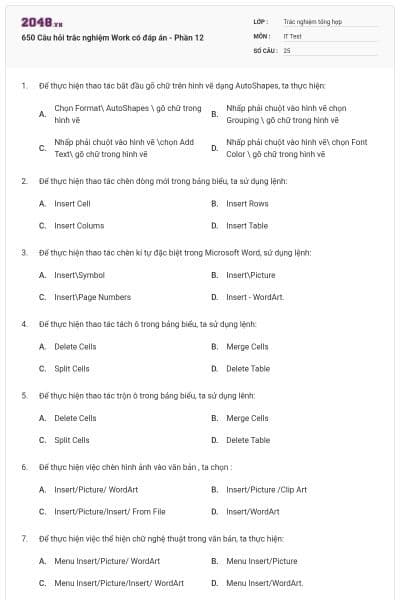
650 Câu hỏi trắc nghiệm Work có đáp án - Phần 12
25 câu hỏi
Chọn Format\ AutoShapes \ gõ chữ trong hình vẽ
Nhấp phải chuột vào hình vẽ chọn Grouping \ gõ chữ trong hình vẽ
Nhấp phải chuột vào hình vẽ \chọn Add Text\ gõ chữ trong hình vẽ
Nhấp phải chuột vào hình vẽ\ chọn Font Color \ gõ chữ trong hình vẽ
Chọn đáp án C
Insert Cell
Insert Rows
Insert Colums
Insert Table
Chọn đáp án B
Insert\Symbol
Insert\Picture
Insert\Page Numbers
Insert - WordArt.
Chọn đáp án A
Delete Cells
Merge Cells
Split Cells
Delete Table
Chọn đáp án C
Delete Cells
Merge Cells
Split Cells
Delete Table
Chọn đáp án B
Insert/Picture/ WordArt
Insert/Picture /Clip Art
Insert/Picture/Insert/ From File
Insert/WordArt
Chọn đáp án C
Menu Insert/Picture/ WordArt
Menu Insert/Picture
Menu Insert/Picture/Insert/ WordArt
Menu Insert/WordArt.
Chọn đáp án D
Chọn cột cần xóa, gõ phím Delete.
Chọn cột cần xóa, chọn Edit / Delete
Chọn cột cần xóa, chọn Table / Delete / Rows.
Chọn cột cần xóa, chọn Table / Delete / Columns
Chọn đáp án D
File/Replace
Star/search/for files and folders
Star/Find/files and folders
Edit/Replace
Chọn đáp án B
Table/Insert/Columns
Format/Columns
Insert/Columns
Cả 3 phương án trên đều đúng
Chọn đáp án B
Crtl+ X
Ctrl+ C
Ctrl +V
Ctrl+O
Chọn đáp án B
Insert
File
Format
Table
Chọn đáp án C
Đóng hồ sơ đang mở
Mở một hồ sơ mới
Lưu hồ sơ vào đĩa
Mở một hồ sơ đã có
Chọn đáp án B
File\Page Setup
Format\Page Setup
Window\Page Setup
Format\Paragraph
Chọn đáp án A
View/Header anh Footer
Insert/Header anh Footer
Format/Header anh Footer
Insert/ Page Number
Chọn đáp án A
Nhắp công cụ Line Color trên thanh Drawing
Nhấn phím Delete
Format->Bolder and Shading…
Cả 3 câu trên đều đúng
Chọn đáp án A
Format->View->Header and Footer
File->Header and Footer
View->Header and Footer
Tất cả đều đúng
Chọn đáp án C
Format->Columns…
Table-> Insert Tables..
Table->Insert Columns…
Tất cả đều sai
Chọn đáp án A
View->Symbol->…
Insert->Symbol->…
Format->Symbol->…
Tất cả đều đúng.
Chọn đáp án B
Vào Window->Split->…
Vào Tool->Split
Vào Window -> Arrange All
Tất cả đều sai.
Chọn đáp án A
End
Home
Ctrl – End
Ctrl – Page Down
Chọn đáp án C
Ctrl- F
Ctrl- G
Ctrl-Y
Ctrl- H
Chọn đáp án D
Nhấn chuột vào nút Print Preview trên thanh công cụ Standard
Nhấn chuột vào biểu tượng máy in trên thanh công cụ Standard
Nhấn tổ hợp phím Ctrl+P
Cả ba cách trên
Chọn đáp án B
Format\Paragraph
File\Page Setup
Format\Print Layout
View\Print Preview
Chọn đáp án A
Chart
Picture\Chart
Chart Type
Các ý trên đều sai
Chọn đáp án B