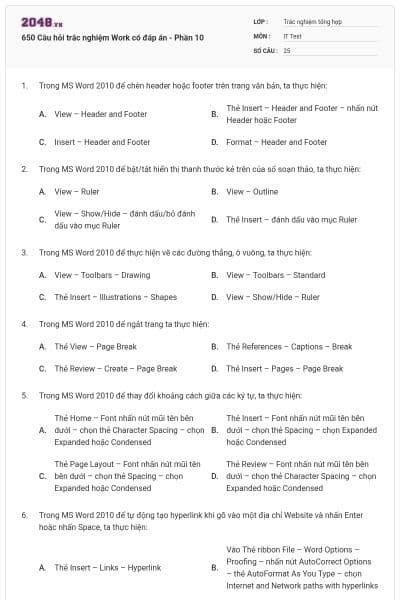
650 Câu hỏi trắc nghiệm Work có đáp án - Phần 10
25 câu hỏi
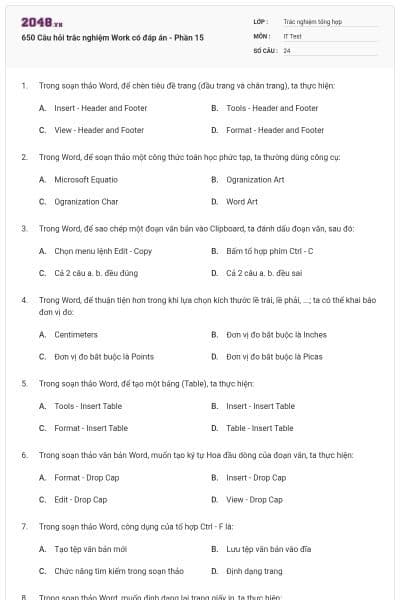
View – Header and Footer
Thẻ Insert – Header and Footer – nhấn nút Header hoặc Footer
Insert – Header and Footer
Format – Header and Footer
Chọn đáp án B
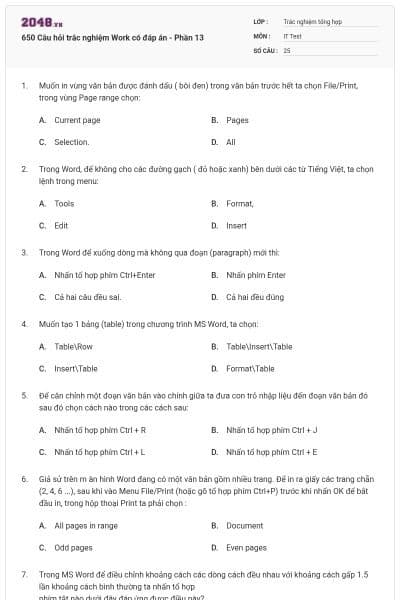
View – Ruler
View – Outline
View – Show/Hide – đánh dấu/bỏ đánh dấu vào mục Ruler
Thẻ Insert – đánh dấu vào mục Ruler
Chọn đáp án C
View – Toolbars – Drawing
View – Toolbars – Standard
Thẻ Insert – Illustrations – Shapes
View – Show/Hide – Ruler
Chọn đáp án C
Thẻ View – Page Break
Thẻ References – Captions – Break
Thẻ Review – Create – Page Break
Thẻ Insert – Pages – Page Break
Chọn đáp án D
Thẻ Home – Font nhấn nút mũi tên bên dưới – chọn thẻ Character Spacing – chọn Expanded hoặc Condensed
Thẻ Insert – Font nhấn nút mũi tên bên dưới – chọn thẻ Spacing – chọn Expanded hoặc Condensed
Thẻ Page Layout – Font nhấn nút mũi tên bên dưới – chọn thẻ Spacing – chọn Expanded hoặc Condensed
Thẻ Review – Font nhấn nút mũi tên bên dưới – chọn thẻ Character Spacing – chọn Expanded hoặc Condensed
Chọn đáp án A
Thẻ Insert – Links – Hyperlink
Vào Thẻ ribbon File – Word Options – Proofing – nhấn nút AutoCorrect Options – thẻ AutoFormat As You Type – chọn Internet and Network paths with hyperlinks
Vào Thẻ ribbon File – Word Options – Advance – nhấn nút AutoCorrect Options – thẻ AutoFormat As You Type – chọn Internet and Network paths with hyperlinks
Vào MS Office Button – Word Options – Save – nhấn nút AutoCorrect Options – thẻ AutoFormat As You Type – chọn Internet and Network paths with hyperlinks
Chọn đáp án B
Thẻ Format – Tabs
Thẻ Page Layout – Paragraph – nhấn nút mũi tên bên dưới – Tab
Thẻ Home – Paragraph – nhấn nút mũi tên bên dưới – Tabs
Hai 2 và 3 đều đúng
Chộn đáp án D
Thẻ Review – Tracking – Track Changes
Thẻ References – Tracking – Track Changes
Thẻ Mailings – Tracking – Track Changes
Thẻ Insert – Tracking – Track Changes
Chọn đáp án A
Thẻ References – Illustrations – Chart
Thẻ Insert – Illustrations – Chart
Thẻ Mailings – Illustrations – Chart
Thẻ Review – Illustrations – Chart
Chọn đáp án B
Thẻ Mailings – Creat – Envelopes
Thẻ Mailings – Write&Insert Fields – Insert Merge Field
Thẻ Mailings – Start Mail Merge – Start Mail Merge – Step by step mail merge wizard
Thẻ Mailings – Start Mail Merge – Start Mail Merge
Chọn đáp án C
Thẻ Mailings – Edit – nhấn nút Find/Replace – More – Format
Thẻ Insert – Edit – nhấn nút Find/Replace – More – Format
Thẻ Page Layout – Edit – nhấn nút Find/Replace – More – Format
Thẻ Home – Editing – nhấn nút Find hoặc Replace – More – Format
Chọn đáp án D
*.doc
*.docx
*.txt
Chọn đáp án B
Thẻ References – Macros – Macros
Thẻ Review – Macros – Macros
Thẻ View – Macros – Macros
Thẻ Home – Macros – Macros
Chọn đáp án C
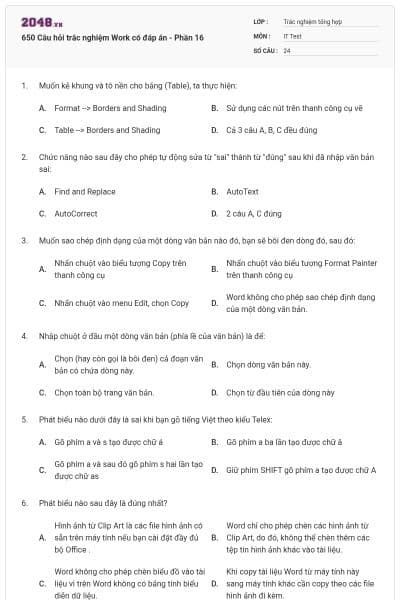
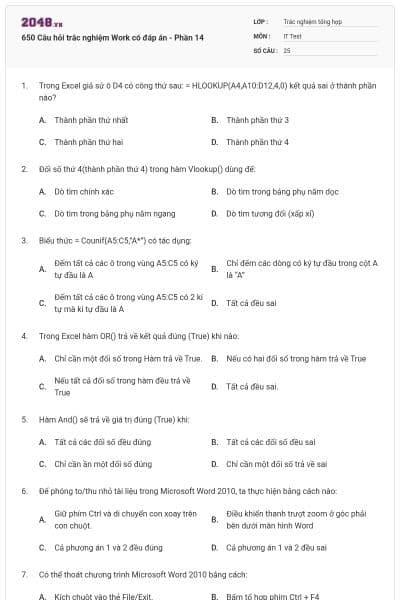
Giữ phím Ctrl và di chuyển con xoay trên con chuột.
Điều khiển thanh trượt zoom ở góc phải màn hình
Cả phương án 1 và 2 đều đúng
Cả phương án 1 và 2 đều sai
Chọn đáp án C
Save
Save As
Copy
Copy to
Chọn đáp án A
Home
Insert
Page Layout
Review
Chọn đáp án C
Home
Insert
Page Layout
Review
Chọn đáp án B
Home
Insert
Page Layout
Review
Chọn đáp án A
Home
Insert
Page Layout
Review
Chọn đáp án D
View
File
References
Home
Chọn đáp án C
View
File
References
Home
Chọn đáp án B
View
File
References
Home
Chọn đáp án A
View
File
References
Home
Chọn đáp án D
Xanh
Đen
Đỏ
Vàng
Chọn đáp án C
Xanh
Đen
Đỏ
Vàng
Chọn đáp án C